📖 Know exactly where you are in every book
Not just which books you're reading — how far through each one you've got.
How far through you are
Open any book and press the progress button, under the shelf controls you already use.
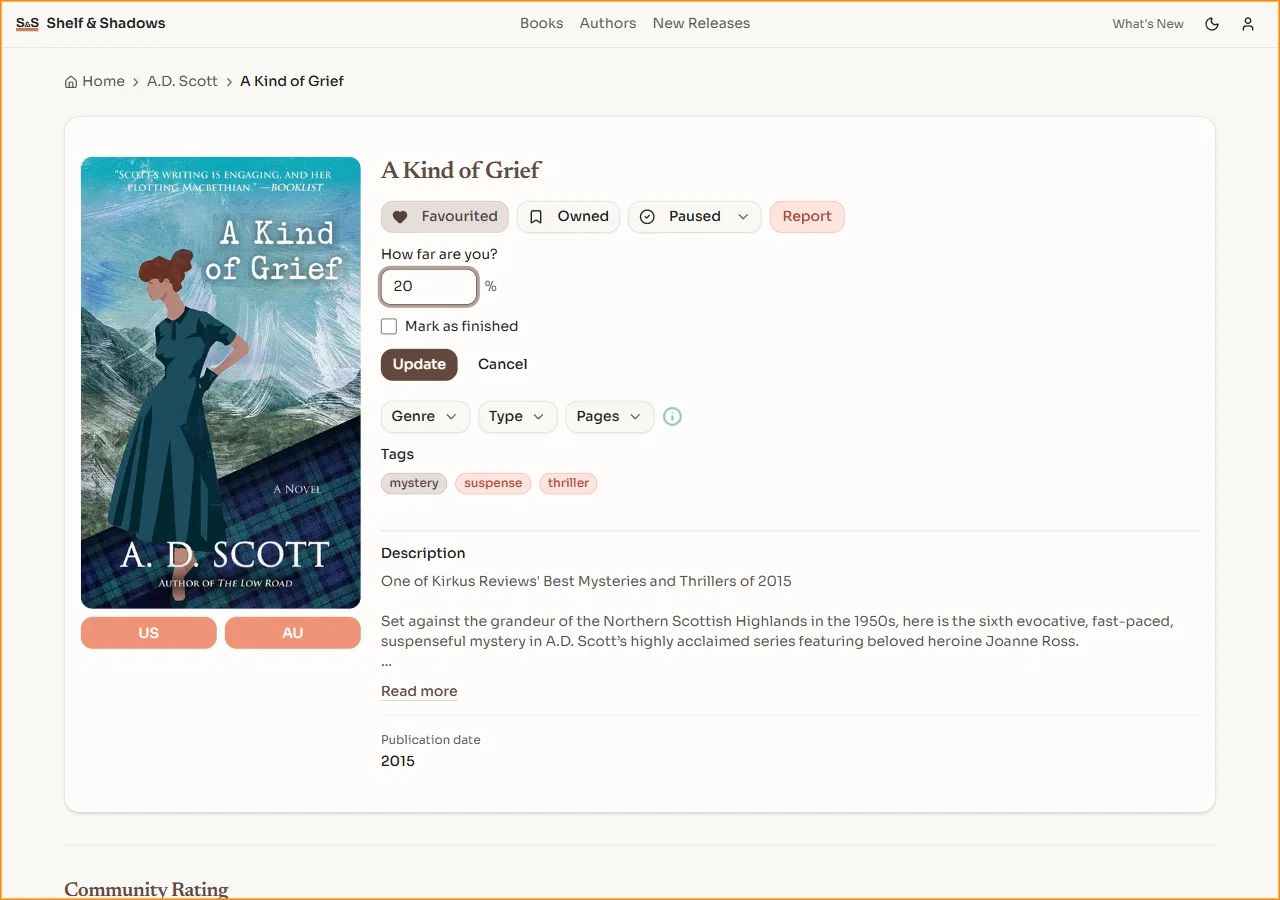
- 📊 A number, not a guess: type a percentage and your library shows "Reading · 34%".
- ✅ Finish in one tap: Mark as finished moves the book to your Read shelf and completes it.
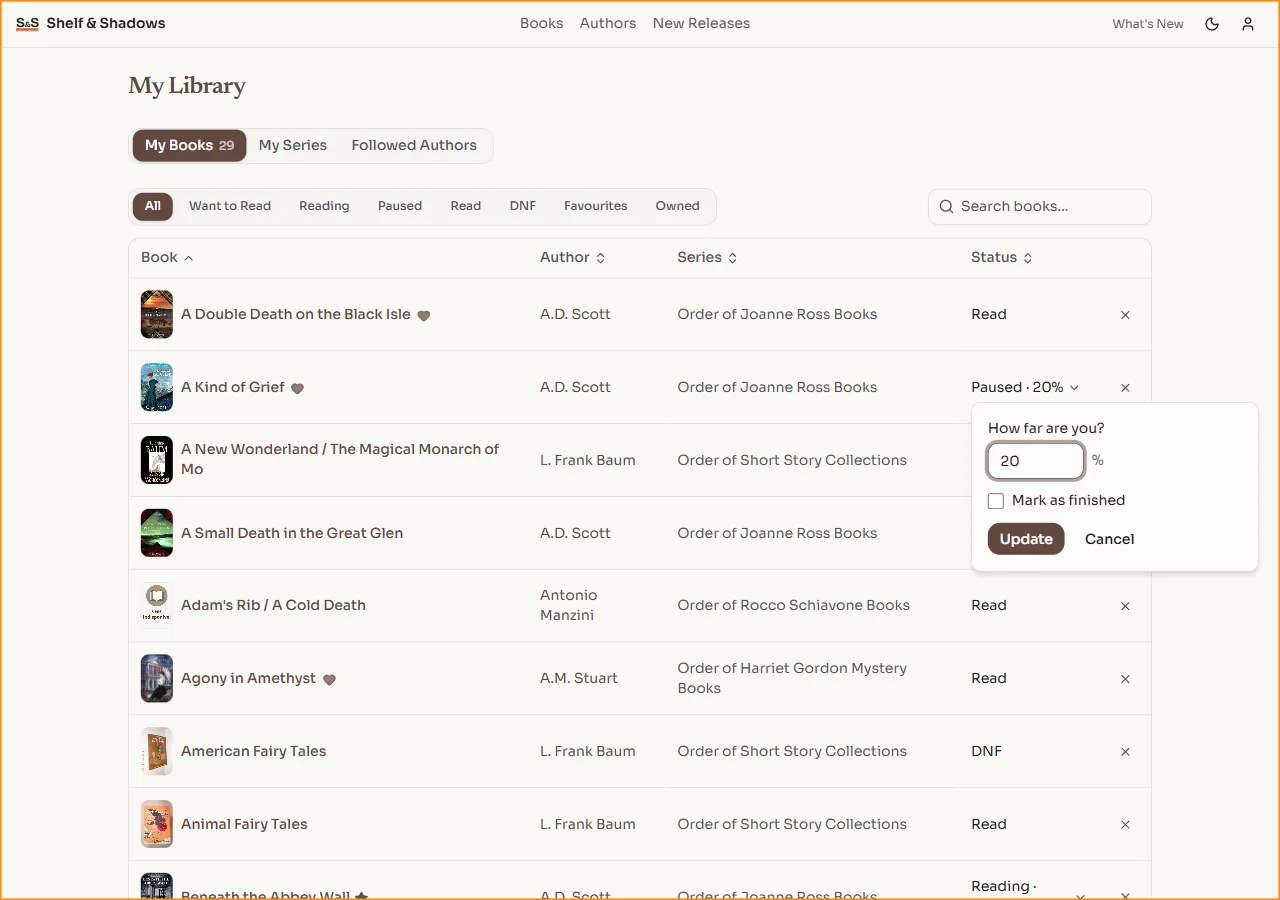
- 📱 Edit anywhere: change it straight from My Library without opening the book — a bottom sheet on your phone.
Series counts you can trust
A book you gave up on used to count as one you'd read.
- 🏆 The trophy means something: Complete now goes only to a series you actually finished.
- 📗 Nothing left hanging: the bar still fills for a series you've closed the book on, and the caption reads "27/28 read".
Ready? Open a book you're partway through.