🙋 Your Profile — and the Shelf People See
Say who you are, and turn your public page into a shelf other readers can actually browse.
Your details, in one place
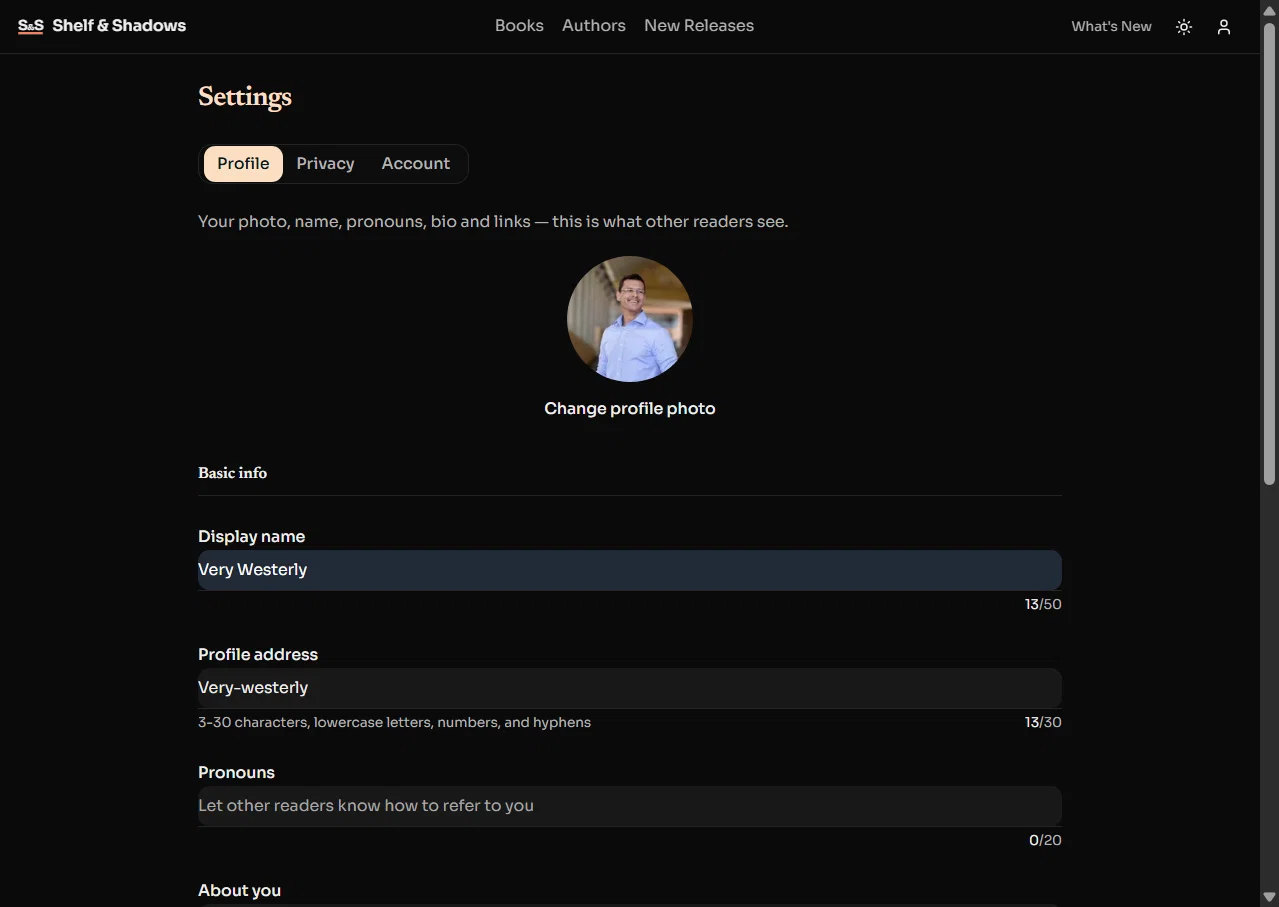
Everything about how you appear now sits behind the person icon, on the Profile tab of Settings.
- 📸 Look like someone: a profile photo from your own device, a display name, and pronouns.
- ✍️ Say something: a short bio, plus your TikTok, Instagram and website.
- 🧭 One place, not three: the separate edit page is gone. Saves happen where you are, and a refused save now names the detail to change and why.
Your public page, rebuilt
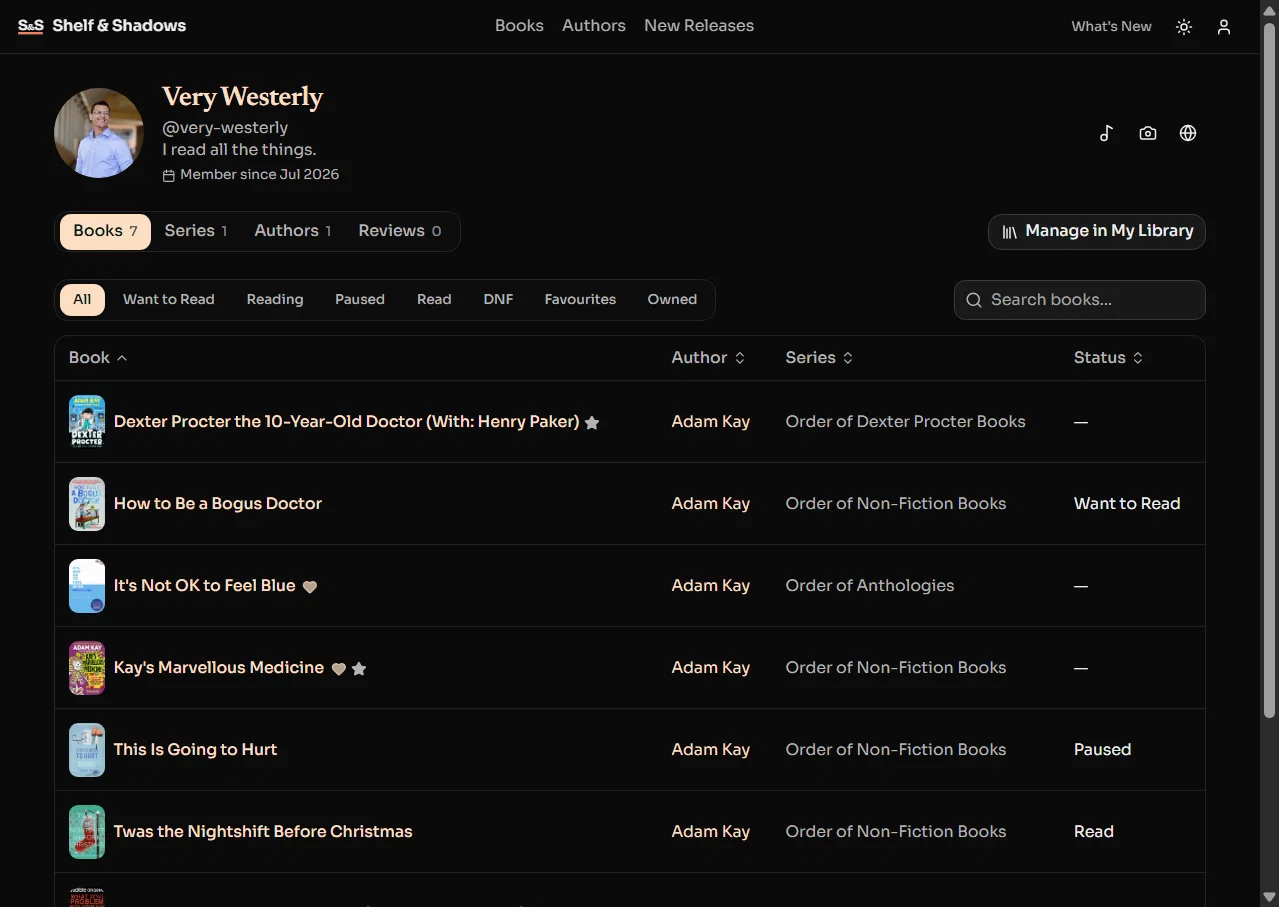
Your page used to be six stacked rows of covers. It is now the same list you already use on My Library.
- 🔍 Find anything: search, filters and sorting across Books, Series, Authors and Reviews.
- 🔢 Know what's there: every tab carries its count, down to an honest "showing 1 to 20 of 143".
- 📚 Every shelf, in order: Paused, Did Not Finish and Owned are there too, in the same order as My Library.
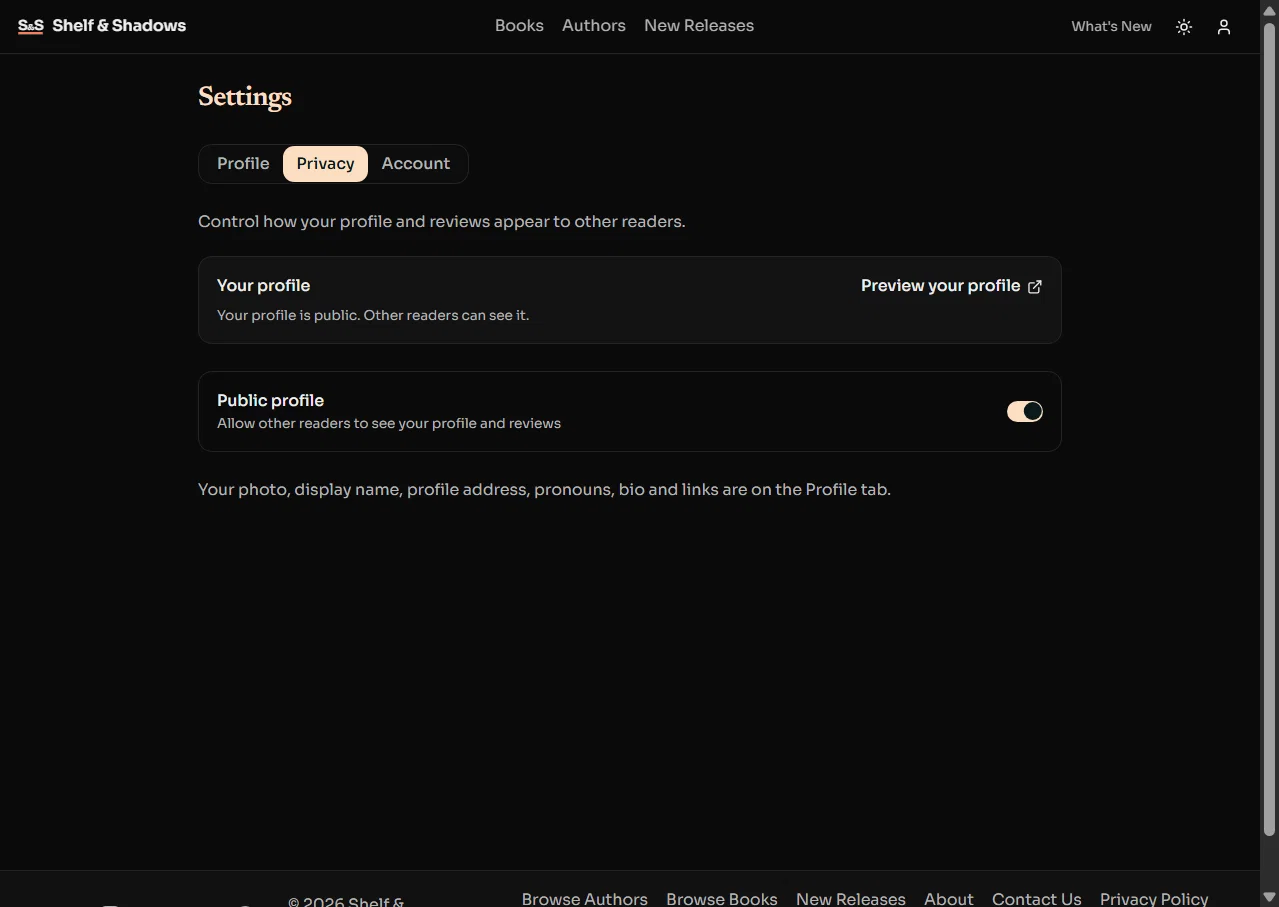
Private profiles stay private. Nothing here changes who can see you.
Ready to make your shelf yours? Open Settings, or view your page.